If you’re reading this, chances are you’ve heard of Stacker — no, not the old arcade game where you stack blocks to the sky, but the no-code tool that’s been quietly transforming how teams build internal tools, databases, and custom workflows without writing a line of code. As someone who’s spent the last five years working as a Stacker implementation partner (let’s call it what it is: I’m the person who helps teams stop feeling overwhelmed when they first log in to Stacker), one of the most common questions I get from prospective clients is this: “What’s the actual learning curve here?” It’s not a silly question. Too many no-code tools promise “drag-and-drop simplicity” and deliver a clunky interface that leaves users frustrated by week two. Stacker isn’t like that, but that doesn’t mean it’s zero-effort. Let me break down what the learning curve really looks like, based on hundreds of teams I’ve walked through onboarding, from 5-person startups to enterprise teams with 50+ internal users. Stacker
First, let’s set a baseline: Stacker is built for people who know how to use Google Sheets or Airtable, maybe have dabbled in a simple project management tool like Trello, but aren’t software developers. That’s its sweet spot. It’s not for programmers who want to build complex, custom APIs (you could do that, but you’d be limiting the tool’s strengths). So when I talk about the learning curve, I’m talking about a non-technical user who’s never built anything beyond a basic spreadsheet.
Let’s start with the first week. If you’re a solo user or have a small team testing Stacker, this is the “exploration” phase. Most users log in for the first time, see a blank workspace, and panic a little — but Stacker does a great job of hiding its power behind gentle prompts. Day one is usually figuring out how to create a base, which is Stacker’s term for a database (think of it like a spreadsheet tab, but way more powerful). I’ve seen a user who’d never used a no-code tool before build a simple customer database in 45 minutes during their first day. They added columns: Name, Email, Company, Last Contact Date, a dropdown for Customer Tier (Lead, Prospect, Active, Churned), and a checkbox for “Nurture Next Week.” By the end of day one, they weren’t just creating a base — they were starting to structure data in a way that’s more usable than a regular Google Sheet, because Stacker automatically enforces consistent data types (no accidentally typing a date into an email column). The biggest win here: no one feels lost. Stacker’s onboarding tutorials are short (most take 2-5 minutes) and specific to what you’re trying to build, not generic “what’s a button” guides.
Week two is where the learning picks up, but it’s still gentle. This is when most users move beyond just storing data to connecting things together. Stacker’s superpower is its ability to link bases and build views — and that’s where people start to grasp how much faster this is than building a tool from scratch. For example, if you have a customer base and a support ticket base, you can link them so each ticket is tied to a specific customer. Then you can build a view that shows all open tickets for Active customers, sorted by priority. In my experience, non-technical users often get stuck here because they want their views to do things that simple spreadsheets don’t — like filter dynamically or update automatically based on other data. The good news is that Stacker’s interface for building views is visual, so you don’t have to write a formula. I had a marketing manager at a SaaS company who spent most of week two building a lead scoring view: every time a lead downloads a whitepaper, their score goes up by 10, and the view automatically highlights leads with a score over 50 as “hot.” She told me later that she thought she’d have to ask the engineering team for something like that, and it took her 3 hours total. The minor hurdle here is learning the difference between a “view” (what users see and interact with) and a “base” (the underlying data), but after a few experiments, that click happens for almost everyone. The mistake I see teams make here is trying to build too much too fast. If you’re a team, don’t add 10 bases in week two. Stick to one core process — lead tracking, support tickets, project tasks — and master that. That’s how you keep the learning curve from feeling steep.
Now, let’s talk about week four to eight. This is the phase where users start building more than just data structures — they’re building actions and automations, which is where Stacker starts to feel like a real internal tool, not just a fancy database. Things like sending a Slack notification when a new high-priority support ticket comes in, or generating a PDF of a customer invoice from a base, or setting up an approval workflow for new vendor requests. This is where the learning curve has a small “bump.” These features aren’t hidden, but they require understanding how Stacker’s automation logic works: triggers, actions, and conditions. For example, to set up that Slack notification, you have to pick a trigger (new ticket added), add a condition (ticket priority is “High”), and then select an action (send message to #support-alerts channel). Non-technical users often struggle with conditions at first — forgetting that you need to specify exactly when an action should run, or mixing up “and” vs “or” logic. But here’s the thing: Stacker doesn’t make you guess. The automation builder has pre-built prompts and error messages that actually explain what you did wrong, not just “invalid input.” I worked with a operations manager at a 20-person e-commerce company who wanted to set up an automation to send a thank-you email to customers when their order was marked as “shipped.” She spent about 2 hours on this over two days, and by the end, she was tweaking the email template and adding a discount code to go with it. She texted me at 8 PM that second day saying, “I just built something that I thought our dev team would charge $500 for, and I didn’t write a single line of code.” That’s the payoff. The other part of this phase is learning how to customize the user experience — building forms for your team to submit data (like a new employee onboarding form) or building dashboards that pull in data from multiple bases. Dashboards are where Stacker really shines for teams, but they take a little practice. Learning how to arrange charts, tables, and metrics to tell a story for your team takes a few tries, but again, it’s visual — you drag and drop widgets, no code required.
Now, let’s address the elephant in the room: how long does it take to get to “proficient” with Stacker? By proficient, I mean you can build and launch a custom internal tool for your team without outside help. For small teams (2-5 people), that’s 4-6 weeks. For larger teams (10+ people), it’s 6-8 weeks, because you have to coordinate with multiple users and make sure the tool fits everyone’s workflow. But here’s the key: that’s the time to build your first functional tool. You don’t need months or years. Compare that to building a custom tool from scratch, which can take 3-6 months of dev time, testing, and tweaks. The learning curve of Stacker is short enough that you’re not wasting time learning the tool — you’re spending that time building something that actually solves your team’s problem.
But wait — every learning curve has its “steep parts,” and Stacker isn’t perfect. The biggest one I see is when teams try to use Stacker for something it’s not designed to do. For example, trying to build a public-facing e-commerce store with Stacker is going to be frustrating, because it’s built for internal tools, not customer-facing products. Or trying to build a workflow that requires 10+ connected automations, which can get hard to track in Stacker’s current interface (though they’ve been updating this with better automation logs). The other steep part comes when you scale. Once you have 50+ users, you start running into things like user permissions (making sure interns can’t see sensitive financial data) and data integrity (making sure team members don’t accidentally delete important records). That’s a different learning curve — more about governance than building. For teams moving from a small test to a full rollout, I recommend bringing in a partner like me for a 1-day workshop to set up permissions and train a super user on your team. That cuts the scaling learning curve from weeks to a couple of days.
I’ve also noticed that the learning curve is steeper for people who are used to rigid, top-down tools like enterprise ERP systems. Those tools are designed to enforce strict rules, and Stacker is flexible — sometimes too flexible for people who are used to “this is how it’s done.” For example, if you’re used to a tool that forces every task to have a due date, Stacker lets you build a task base that has a due date, but it doesn’t make you add one if you don’t need it. That flexibility can feel overwhelming at first, but once you tailor it to your team’s actual workflow (not the other way around), it becomes a huge strength. I had a head of operations at a manufacturing company tell me after 3 months with Stacker, “I used to hate that our project management tool made us fit our work into its boxes. Stacker fits our work.” That’s the difference.
Let me give you a real example to make this concrete. Last quarter, I worked with a 12-person customer success team at a B2B software company. They were using Airtable to track customer accounts, but it was messy — no way to send automated follow-ups, and different team members had different views of the same data. The team decided to switch to Stacker. Their timeline: Week 1: They set up a base for customer accounts and a base for support interactions. Week 2: They linked the two bases and built a simple dashboard for the team to see open tickets. Week 3: They built an automation to send a Slack message when a ticket was marked “resolved” and the customer hadn’t replied in 24 hours. Week 4: They created a form for the sales team to submit new customer accounts, so data was consistent when it came into the system. By week 5, they’d rolled out Stacker to the entire customer success team, and they stopped using their old Airtable setup. They told me they saved 10 hours a week in administrative tasks, and the time it took them to resolve tickets dropped by 20%. None of them had any coding experience. The learning curve? They went from zero to fully operational in 5 weeks. That’s not a fluke — that’s the norm for teams that stick to building one process at a time, not trying to boil the ocean.
So, to wrap this up: the learning curve for Stacker isn’t a straight line. It’s gentle for the first two weeks, where you’ll build and launch a basic tool for your team. There’s a small bump in weeks 4-8 when you add automations and dashboards, but that’s where the real value starts to show. Once you hit the 8-week mark, if you’re a small to mid-sized team, you’ll be proficient enough to build and iterate on tools on your own. The key is to start small, focus on one core problem, and don’t try to replicate every feature of a complex tool like Salesforce or Asana in Stacker. Use it for what it does best: building custom, internal tools that fit your team, not the other way around.

If you’re curious about what this looks like for your specific team — whether you’re a small startup needing a better way to track projects, or a mid-sized team looking to automate customer support workflows — I’m here to help. As a Stacker implementation partner, I work with teams to map their needs, walk through the learning process together, and make sure you don’t hit those unnecessary roadblocks that can make the learning curve feel steeper than it is. Let’s talk through how Stacker could work for your team, no obligation, no jargon.
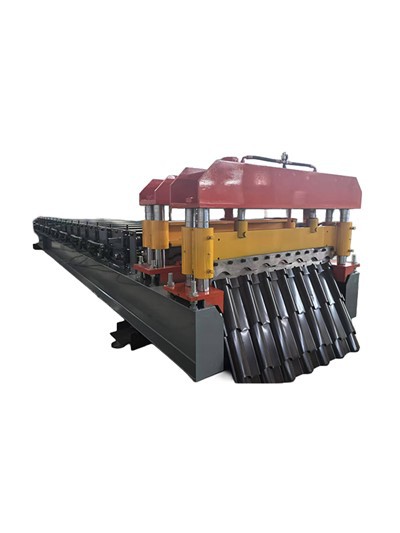
Metal Sheet Roll Cold Rolling Forming Equipment References:
- Stacker Official Documentation: Onboarding & Core Concepts, Stacker Inc.
- No-Code Tool Adoption Survey: 2023 State of Internal Tools, Forrester Research
- Case Study: Customer Success Team Streamlining with Stacker, Stacker Customer Success Blog
Wuxi Yuanding Machinery Manufacturing Co., Ltd.
We’re well-known as one of the leading stacker manufacturers and suppliers in China, also support customized service. Please feel free to buy advanced stacker made in China here from our factory. For pricelist, contact us now.
Address: Yaguang Industrial Park, No. 88 Chaoyang South Road, Xishan District, Wuxi City, Jiangsu Province
E-mail: 13861798466@163.com
WebSite: https://www.wxyuanding.com/
